The Problem
An operational blind spot.
The sales team had no centralised view of daily consultation bookings across their coaching staff. With 6 separate Calendly accounts, managers had to log in to each one individually just to understand daily volume, and even then there was no way to verify whether booked calls were actually completed.
Coaches self-reported their call activity at end of day with no automated verification. Missed consultations went unnoticed until it was too late to intervene, and managers were spending 15–20 minutes every morning cross-referencing Calendly with Aircall call logs by hand.
The obvious platform fix would have been Calendly's Teams plan, which adds shared visibility across multiple users. But that means paying per seat across all 6 coaches, an ongoing monthly cost for a visibility problem that didn't need a paid upgrade to solve. The data was already there in the existing free accounts and a shared Gmail inbox. It just needed wiring together.
Before
- Check 6 Calendly accounts manually every morning
- No way to verify calls were actually completed
- Coaches self-reported EOD call counts
- Missed consultations went unnoticed
- 15–20 min daily overhead just for visibility
After
- Single dashboard, all 6 coaches in one screen
- Real-time Called / Not Called badges via Aircall
- Automated verification, zero self-reporting
- Immediate no-show identification
- Zero manual admin, instant visibility on load
How It Works
Gmail → Dashboard → Aircall.
The system reads Calendly notification emails from a shared Gmail inbox, extracts booking data, and cross-references against Aircall call logs, all in the browser, with no backend server required.
Parent Books via Calendly
A parent books a consultation through a coach's Calendly link. A confirmation email lands in the shared sales@gmail inbox automatically.
Gmail API Reads the Inbox
The dashboard authenticates via Google OAuth 2.0 and searches for emails from [email protected]. Emails are fetched in batches of 10 to avoid rate limits.
Booking Data Extracted
Subject lines are parsed for parent name, time, and date. The email body is parsed for "Hi [name]" to auto-detect which coach owns the booking.
Aircall Cross-Reference
Full email bodies are fetched in a second pass to extract phone numbers. These are matched against the day's Aircall call logs via a Cloudflare Worker proxy.
Live Status Badges Appear
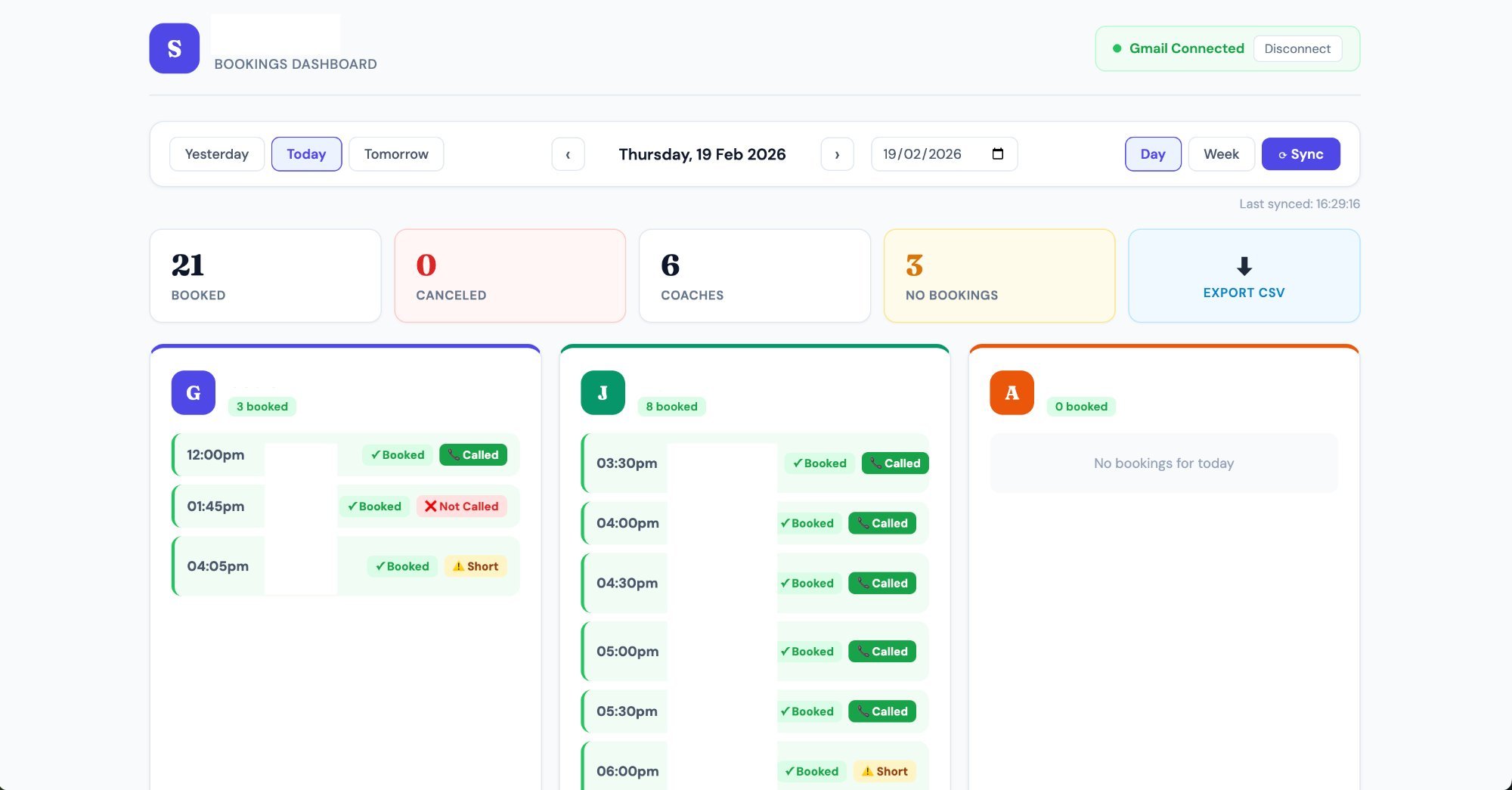
Each booking card displays one of four statuses: Called, Not Called, Short Call, or Checking, updating progressively as data loads.
Key Features
Built for daily operational use.
The dashboard was designed to be opened once each morning and give an immediate, complete picture with no interaction required.
Day & Week Views
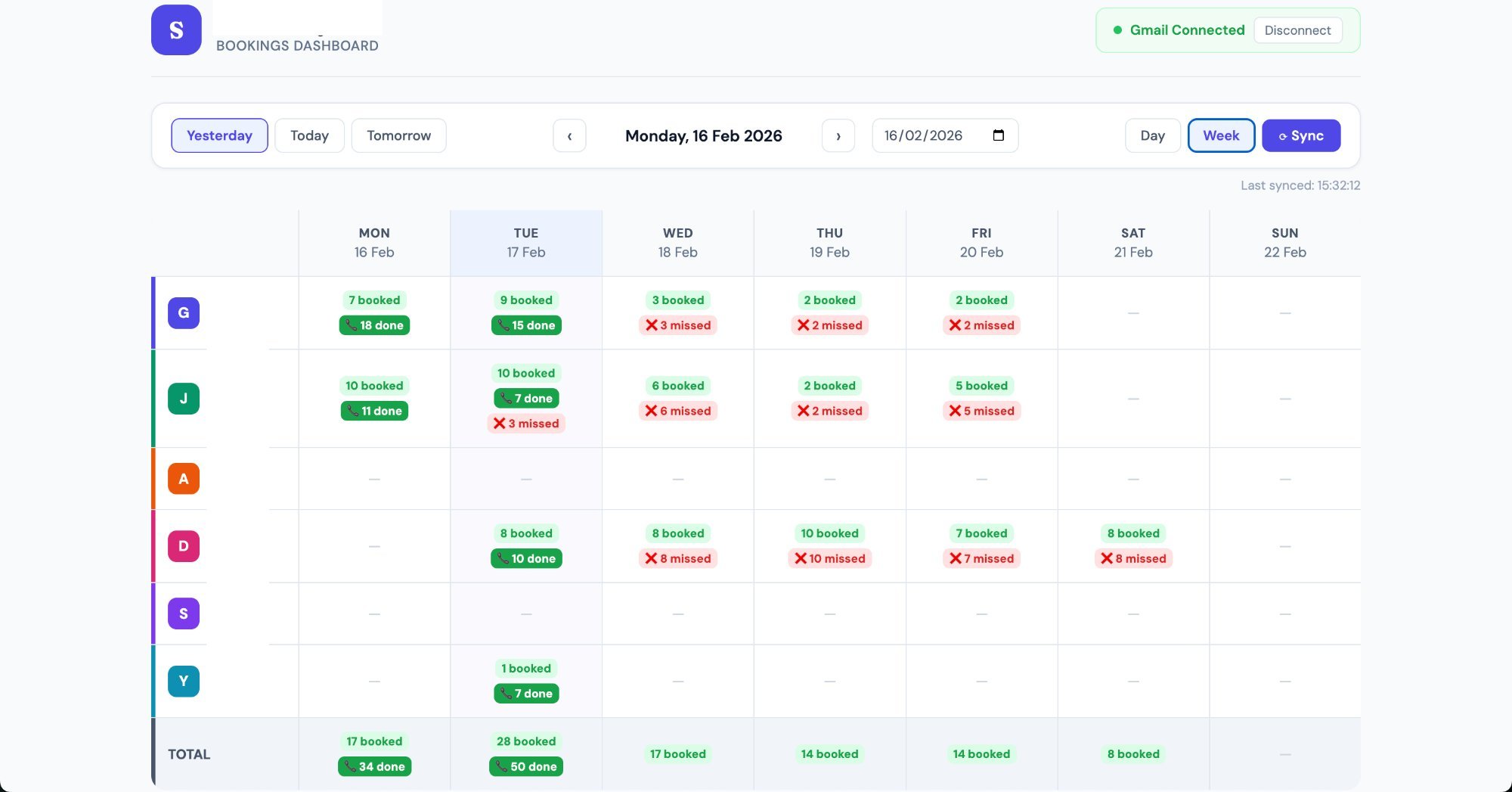
Toggle between individual booking cards (day) and a weekly grid showing booking counts and completion rates per coach.
Smart Navigation
Yesterday / Today / Tomorrow quick buttons with arrow navigation and a date picker for historical lookups.
Cancellation Tracking
Cancelled bookings are automatically detected from Calendly cancellation emails and displayed with a distinct visual indicator.
Technical Stack
Zero infrastructure, zero cost.
Every component runs on free-tier services. There is no server to manage, no database to provision, and no monthly bill.
| Component | Technology | Purpose | Cost |
|---|---|---|---|
| Frontend | React 18 + Vite 5 | Dashboard UI, booking cards, week/day views | Free |
| Hosting | Cloudflare Pages | Free CDN, auto-deploy from GitHub | Free |
| Auth | Google OAuth 2.0 | Gmail API read-only access via GSI | Free |
| Email Data | Gmail API | Fetch and parse Calendly notification emails | Free |
| Call Data | Aircall REST API | Cross-reference call logs by phone number | Existing |
| CORS Proxy | Cloudflare Worker | Secure browser-safe proxy for Aircall requests | Free |
The Product
See it in action.
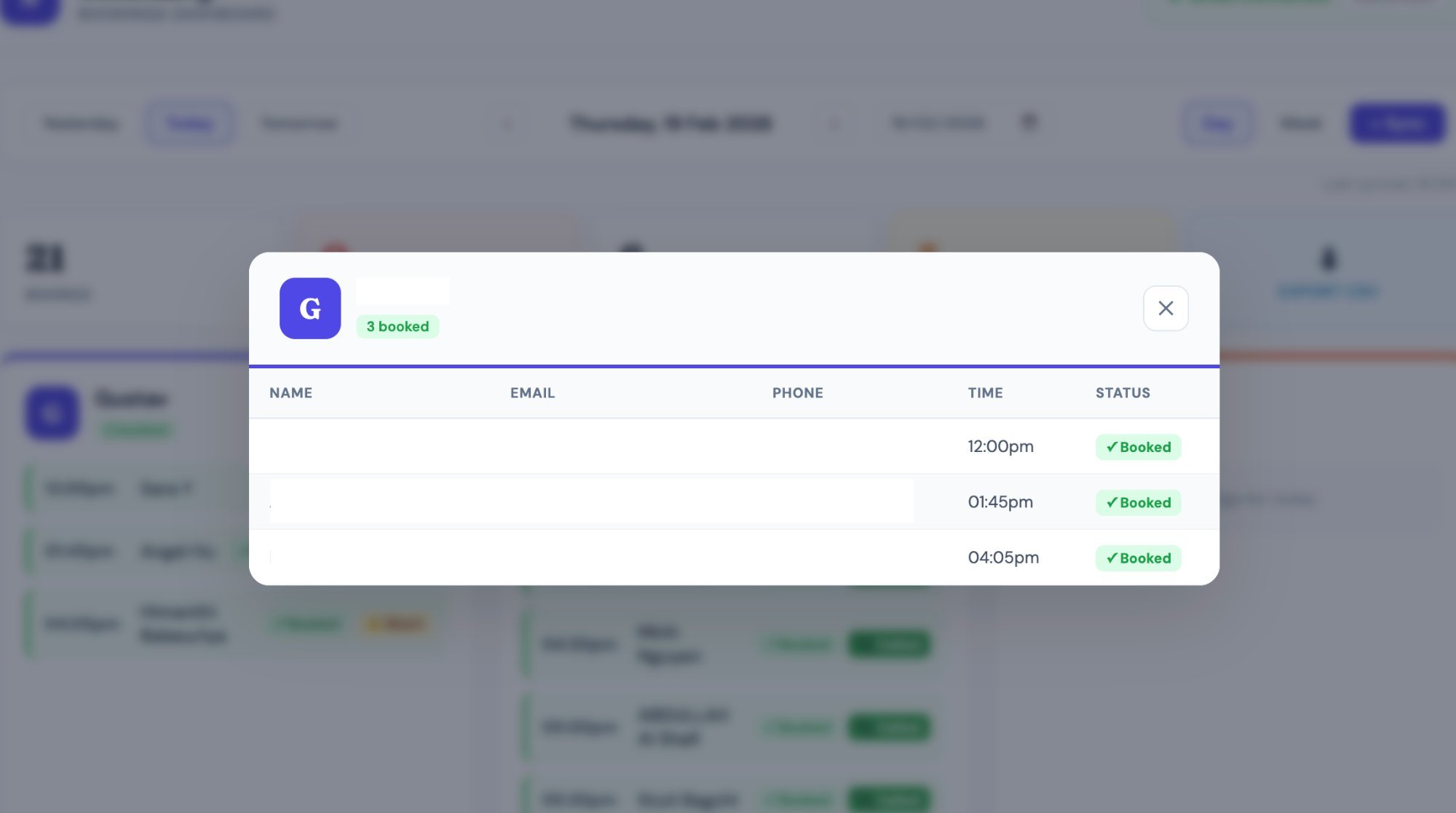
Screenshots of the live dashboard used daily by the sales team.
Result
From 20 minutes to zero.
Management went from logging into 6 separate accounts and manually cross-referencing call logs every morning, to opening a single URL and seeing the complete picture in under 5 seconds. Missed consultations are now visible immediately, not discovered at end of day.
The solution also avoided the per-seat cost of upgrading to Calendly Teams. By reading the notification emails Calendly was already sending to a shared inbox, the dashboard gets the same unified view without touching the existing Calendly accounts or paying for a new plan tier. Six coaches, one dashboard, zero platform fees.
The tool was built and deployed in a single afternoon by someone with a marketing background and no traditional programming experience, using Claude AI for code generation.